How to structure Webflow CMS for a scalable website
A scalable Webflow CMS is a content model, not a storage folder. Learn how collections, references, conditionals, and editor safeguards work together.
May 7, 2026
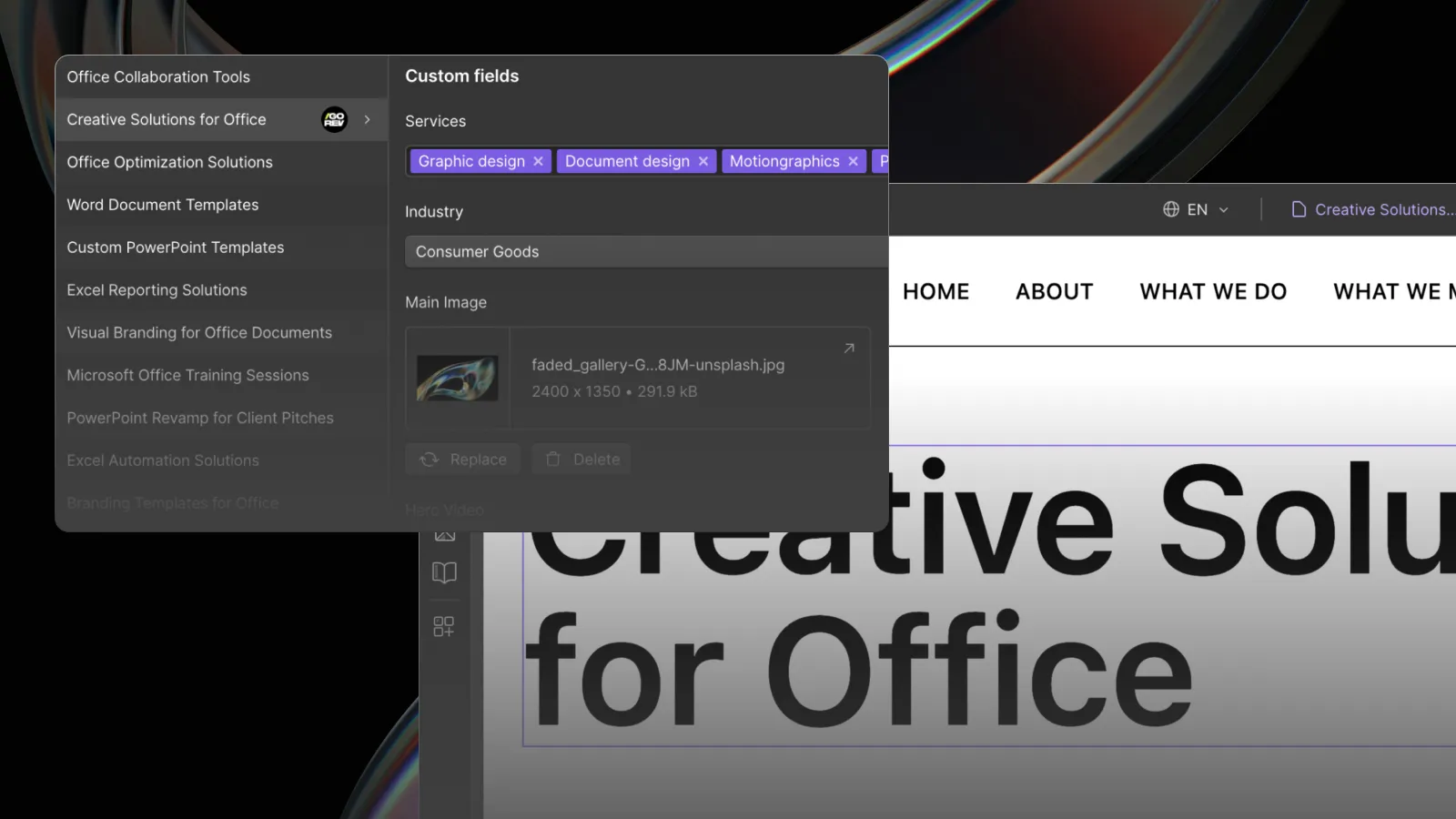
One of the most common mistakes in Webflow projects is treating CMS as a place to store text and images.
A developer creates a Blog Posts collection, adds a title, main image, and rich text field, then considers the CMS complete. That setup may work for ten articles. It becomes limiting when the website grows, the team needs to reuse content, or multiple editors begin publishing regularly.
A strong Webflow CMS does more than store content. It defines how content relates, how pages scale, and how safely the client's team can manage the website after launch.
Start with a content model, not a page design
Before creating collections, identify the reusable entities in the business.
For a typical B2B website, these may include:
- Blog posts
- Authors
- Categories
- Services
- Industries
- Solutions
- Case studies
- Testimonials
- Team members
- Locations
- Resources
Each entity should exist once and be referenced wherever it appears.
For example, an author should not be manually re-entered inside every article. The article should reference an Authors collection. An industry page should not contain manually duplicated case-study cards. It should display case studies connected to that industry.
Webflow provides reference and multi-reference fields specifically for relationships between CMS items. Its official documentation describes a reference field as a way to connect one Collection item to another, while multi-reference fields support relationships with multiple items. See the Webflow reference field documentation.
Use separate collections for reusable entities
A useful rule is simple: if the same piece of structured information appears in several places, it probably deserves its own collection.
Authors
An Authors collection can contain name, role, headshot, biography, profile URL, and social links. Every article can reference the correct author, and updates to the author's biography propagate across the site.
Categories and tags
Categories create a stable primary taxonomy. Tags can support narrower topics. Keeping them as CMS items makes it possible to build archive pages, filters, related-content modules, and consistent metadata.
Services and industries
Services and industries often connect to case studies, articles, testimonials, and team expertise. Modeling those relationships makes internal linking and contextual recommendations much easier.
Testimonials
A testimonial may appear on the homepage, a service page, an industry page, and a relevant case study. Storing it once prevents inconsistent versions and gives the editor control over attribution, company, role, logo, and related service.
Design CMS fields around editorial decisions
A CMS field should represent a clear decision the editor can understand.
Useful fields might include:
- Featured article: switch field
- Primary category: reference field
- Related services: multi-reference field
- Card theme: option field
- Show table of contents: switch field
- Custom call to action: reference field
- Short description: plain text field
- Main article body: rich text field
- SEO title and description: dedicated plain text fields
Avoid exposing unnecessary layout control. Editors should choose from safe options, not reconstruct the design system inside every CMS item.
Plan for missing and variable content
Real content rarely matches the ideal mockup.
The CMS must answer practical questions:
- What happens when no image is uploaded?
- What happens when a title is twice as long as the design example?
- What happens when a page has three cards instead of four?
- What happens when a section is optional?
- What happens when one page needs a light card and another needs a dark card?
- What happens when an item has no related case studies?
Webflow conditionals can show, hide, or change content based on CMS fields and component properties. According to the official conditionals documentation, elements hidden through conditionals are not included in the published code unless the “Keep in HTML when hidden” option is deliberately enabled.
That allows the template to respond cleanly to incomplete or optional content rather than leaving empty wrappers, broken gaps, or placeholder text.
Do not use rich text as a page builder
A single rich text field is convenient, but it should not carry every structural responsibility.
When editors manually paste headings, images, buttons, cards, quotes, and promotional sections into rich text, several problems appear:
- Visual consistency depends on each editor.
- Reusable information becomes duplicated.
- Internal links are easy to forget.
- Content becomes difficult to filter or query.
- Layout errors are harder to prevent.
- Future redesigns require manual cleanup across many posts.
Rich text is appropriate for the main editorial body. Structured sections and reusable entities should live in dedicated fields or related collections.
Build templates for the worst realistic content
A CMS template should not be tested only with polished demo content.
During development, test:
- The longest realistic title.
- The shortest realistic title.
- A missing image.
- A portrait image where landscape was expected.
- No related items.
- The maximum number of related items.
- Long company names and job titles.
- Empty optional sections.
- Unexpected but valid editor input.
This is part of the responsive and editorial QA process, not an optional final check.
Separate content ownership from design ownership
The client's team should control content without having to make design decisions every time they publish.
A well-designed CMS creates that boundary:
- Editors choose content and approved variants.
- Components control layout and responsive behavior.
- Global classes and variables control visual consistency.
- Developers extend the system when a genuinely new pattern is needed.
This makes publishing faster and reduces the chance that routine content updates create technical debt.
Use CMS relationships to strengthen internal linking
CMS architecture also supports SEO.
An article connected to a service can display a contextual service call to action. An industry page can list relevant case studies. A case study can recommend related services and articles. An author page can consolidate that person's expertise.
These connections help readers discover relevant information and create crawlable pathways between related pages.
They also reduce manual work. The editor selects the relationship once, and the website renders the correct module wherever that relationship is used.
A practical Webflow CMS checklist
- List every reusable content entity.
- Define which entities need their own collections.
- Map one-to-one and one-to-many relationships.
- Separate editorial content from layout controls.
- Use option and switch fields for safe variants.
- Add conditionals for optional content.
- Define sensible fallbacks for missing media.
- Test extreme content lengths and quantities.
- Connect related content for internal linking.
- Document the publishing process for the client.
CMS quality determines what happens after launch
Most website proposals focus on the pages visible at launch. The CMS determines whether those pages remain useful as the company grows.
A weak CMS turns each new request into developer work. A strong CMS lets the team publish within a controlled system and keeps the website consistent as content expands.
Our Webflow development service includes content modeling, CMS relationships, reusable components, editorial safeguards, and handoff planning. Examples of those systems are available in our selected projects.