Webflow to Astro migration: what actually changed for our agency website
We moved our agency website from Webflow to Astro, Sanity and Cloudflare. Our JavaScript got lighter and hosting costs dropped, but our homepage wasn't actually faster. Here's what the migration taught us.
November 10, 2026
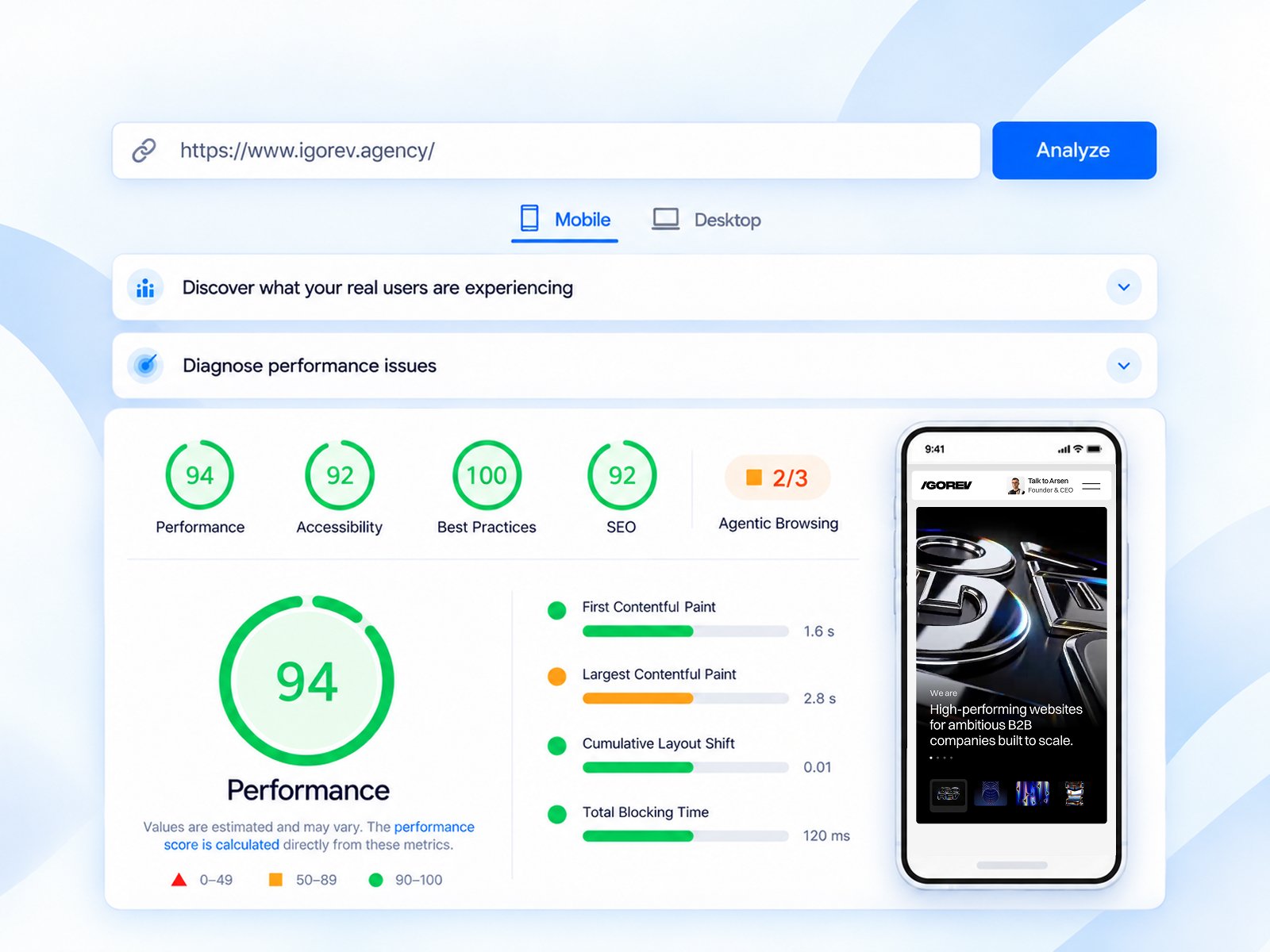
We moved the Igorev Agency website from Webflow to Astro, with Sanity handling the CMS and Cloudflare running the production site. The new setup gives us more control, less JavaScript and no fixed hosting bill at our current usage. But here's the part that makes this experiment interesting: our already-optimized homepage didn't get faster.
We build Webflow websites for clients, so this wasn't a decision driven by frustration with the platform. We wanted to find out what a custom stack actually changes once you move past framework comparisons and start dealing with a real website: CMS templates, animations, responsive video, forms, SEO, deployments and DNS.
Rather than call the migration a success because Astro is fashionable, we compared the two implementations, kept track of what broke, and looked at what we gained and what we gave up.
Why move an agency website away from Webflow?
Our previous website was built and extensively optimized in Webflow. The homepage had custom interactions, video, animation and a fairly involved visual system. It wasn't an unoptimized template that would magically become fast just by switching frameworks.
That was exactly why we chose it as the test case.
There's growing interest in custom frontends and headless CMS architectures. As an agency, we want to know when they genuinely make sense for a client, and when Webflow's integrated editing and publishing experience is the better answer. Testing the migration on our own website meant we could absorb the engineering cost, discover the edge cases and make those judgments from experience.
We didn't redesign the website as part of this experiment. Our first priority was to preserve the existing design, content, responsive behavior and interactions, then replace the underlying system.
The stack before and after
| Responsibility | Before | After |
|---|---|---|
Website frontend | Webflow-generated site | Astro static output |
CMS | Webflow CMS | Sanity |
Hosting and delivery | Webflow hosting | Cloudflare Workers + Static Assets |
Interactions | Webflow IX2/IX3 and custom code | GSAP, native JavaScript and focused integrations |
Contact forms | Webflow-managed forms | Same-origin Worker endpoint, Turnstile and Resend |
Releases | Webflow publishing | GitHub-based builds, separate staging and production |
Legacy-domain redirects | Webflow-dependent setup | Separate registrar-level redirects |
The important distinction is that Astro didn't replace everything Webflow used to provide. We assembled an alternative using several tools. That gives us more freedom, but it also transfers the responsibility for connecting and maintaining them to us.
Webflow vs Astro: our actual Lighthouse results
We saved a direct comparison from October 9, 2026: six page types, two devices, two implementations and three runs of each combination — 72 valid Lighthouse reports in total.
The Webflow version ran on the live site, while the Astro version ran on a publicly accessible test of our Cloudflare staging build. Both were tested with fresh browser profiles and the same simulated device/network settings. The tables below show the median of the three runs, not the best-looking result.
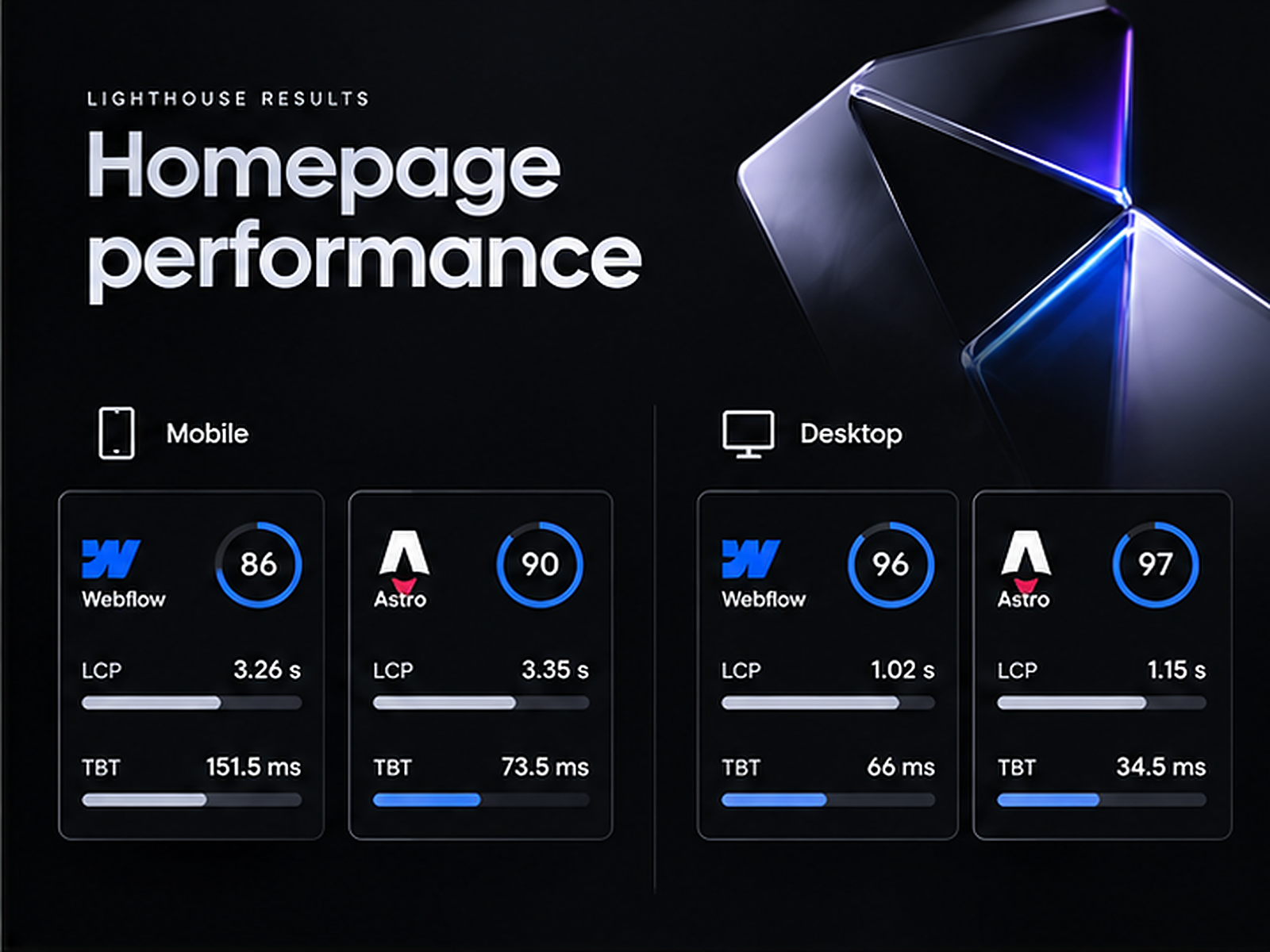
Homepage: mobile
| Metric | Webflow | Astro | Difference |
|---|---|---|---|
Lighthouse Performance | 86 | 90 | +4 points |
Largest Contentful Paint (LCP) | 3.26 s | 3.35 s | 0.09 s slower |
Total Blocking Time (TBT) | 151.5 ms | 73.5 ms | 51% lower |
JavaScript transferred | ~794 KB | ~323 KB | 59% less |
Total transferred during test | 4.31 MB | 3.85 MB | 11% less |
Cumulative Layout Shift (CLS) | 0 | 0 | Unchanged |
The lighter JavaScript bundle is a meaningful improvement. Removing the old Webflow interaction runtime and rebuilding the behavior with more focused code reduced how much JavaScript the browser had to download. The lower blocking time is useful too.
But LCP got slightly worse, from 3.26 to 3.35 seconds. On our homepage, the largest element was the hero video or its poster. Moving the site to Astro didn't remove that media cost. The Lighthouse score improved, but it would be misleading to describe the homepage as noticeably faster to load.
Homepage: desktop
| Metric | Webflow | Astro | Difference |
|---|---|---|---|
Lighthouse Performance | 96 | 97 | +1 point |
LCP | 1.02 s | 1.15 s | 0.13 s slower |
TBT | 66 ms | 34.5 ms | 48% lower |
Total transferred during test | 4.99 MB | 4.68 MB | 6% less |
Desktop tells much the same story: less blocking and slightly less transfer, but not an LCP win. Webflow was already performing well here.
What about the other pages?
Several content-heavy pages improved substantially in the same comparison. Mobile LCP went from 9.49 to 5.42 seconds on the blog listing, 14.06 to 7.50 seconds on a Work case study, and 10.37 to 6.64 seconds on an Industry page.
Those are real measured differences, but I wouldn't present them as proof that Astro is inherently faster. We had invested much more optimization effort into the Webflow homepage than into those CMS templates. Better image sizing, earlier loading of important images and less unnecessary JavaScript can improve a Webflow site too.
In fact, one benefit of the migration was forcing us to revisit how the content templates were built. Some improvements came from those decisions, not from changing the framework name.
A note on methodology: these are laboratory results from an October 9 Webflow-production-versus-Astro-staging comparison, not Google CrUX field data and not fresh Lighthouse scores for the final production release. We made additional Astro optimizations afterward, but they were measured using different test configurations. Combining the most favorable numbers across those tests would not be an honest before-and-after comparison. We still need longer-term field data to judge what real visitors experience.
The technical work was more than exporting HTML
A Webflow export gives you HTML, CSS and JavaScript, but it doesn't hand you an independently functioning version of every CMS feature and interaction.
We had to reconstruct CMS-backed pages in Astro, move structured content to Sanity, preserve responsive layouts, replace Webflow-specific behavior, build an independent contact flow, and make sure the new production site could be deployed and rolled back safely.
Our validated build generated 109 HTML pages. The SEO audit identified 93 canonical, indexable URLs for the sitemap. These figures describe the output and technical setup; they do not mean Google has indexed all 93 URLs.
Two problems were particularly instructive.
1. Removing Webflow's interaction runtime without losing the experience
A large part of the original site relied on Webflow IX2/IX3 interactions. We replaced those with GSAP and native JavaScript while preserving things visitors actually notice: navigation states, animated menus, FAQ behavior, hero tabs, hover effects and scroll-driven sections.
The unexpected issue was that removing Webflow itself wasn't enough. One component library still expected Webflow's Webflow.push initialization flow. The page could look correct while its CMS filters or navigation-related behavior quietly stopped working. We had to adapt initialization rather than leave a fake Webflow runtime in place.
We also restored Lenis smooth scrolling independently and verified that it didn't fight with ScrollTrigger, modal scroll locking, mobile navigation or reduced-motion preferences.
That was an important reminder: a design can be pixel-perfect and still be functionally incomplete. Migration QA has to test behavior, not just screenshots.
2. Our hero video worked — until you clicked the tabs
The homepage uses a video that jumps to different points when a visitor changes the active tab. After moving the media to Cloudflare Static Assets, the video loaded, but seeking didn't work correctly.
The cause wasn't the animation code. The browser requested a byte range, but the response returned HTTP 200 with the entire MP4 instead of the expected HTTP 206 Partial Content response. As a result, jumping to the 5-, 10- and 15-second positions failed.
We solved it with a small, production-scoped Worker adapter that handles HTTP Range requests for the two relevant MP4 assets. We didn't rewrite the hero interaction or replace the original videos.
It's a niche problem, but a useful example of the difference between a successful deployment and a genuinely equivalent migration. Static assets aren't always interchangeable when an interface depends on specific HTTP behavior.
What happened to our hosting costs?
On Webflow, we were paying roughly $300 per year for the site's CMS hosting plan. With Astro deployed on Cloudflare Workers and content in Sanity, the current fixed hosting and CMS subscription cost is $0 at our usage level.
Cloudflare Workers Static Assets and Sanity both offer free tiers. Our current setup fits within them. That does not mean the entire business infrastructure costs nothing: domain registration, email, third-party services and engineering time remain separate, and usage-based limits could eventually change the economics.
The financial comparison is also not a return-on-investment calculation. Saving about $300 a year would never justify a complex migration on its own. For us, the value was learning the stack, owning the implementation and gaining flexibility for future development.
And there is an undeniable cost on the other side of the equation: complexity.
Before, we managed most of the website in Webflow. Now content, code, hosting, deployment, forms and DNS involve different services. Each piece is more replaceable, but the system as a whole needs more technical oversight. A broken build, a missing environment variable or a certificate issue is ours to diagnose.
We didn't track migration hours cleanly enough to publish a reliable number. Our earlier estimate of roughly 200 hours referred to the website redesign, not to the Astro migration. Treating those as the same project would inflate the claim.
What changed for SEO and content management?
Sanity gives us a separate, structured content model for articles, services, industries, case studies and shared content. Astro turns that content into static pages during the build. That makes the frontend more independent from the editing interface, and it lets us change the website code without forcing the content into the same platform.
We also rebuilt several SEO foundations: canonical URLs, sitemap generation, robots rules, metadata from CMS fields, structured data and checks for broken internal links. Our technical audit validated 4,728 internal links in the generated, indexable pages.
These are foundations, not ranking guarantees. We can't claim that moving from Webflow to Astro increased organic traffic or improved Google rankings without a meaningful period of Search Console data. The content, internal linking, page quality and real user experience will still matter more than the framework logo.
For a related perspective on the content architecture decision, see our article on Webflow vs headless CMS.
Would we do it again?
For our own agency website, yes. The learning alone was valuable. We now know how to ship and maintain a custom frontend, preserve a fairly complex visual experience, connect a headless CMS, and solve the production issues that don't appear in a framework tutorial.
Would I recommend the same migration to every Webflow client? Definitely not.
For a typical marketing site, landing page or company website where a nontechnical team wants to edit and publish quickly, Webflow is often the more practical choice. It brings design, CMS, hosting and publishing into one coherent workflow. And as our homepage results show, a properly optimized Webflow site can perform extremely well.
I'd look more seriously at Astro and a headless CMS when a project needs unusual content structures, more control over frontend code, custom integrations, repeatable engineering workflows or a longer-term product ecosystem. Even then, the team needs to be comfortable owning the additional infrastructure.
The decision should start with the project requirements, editing experience and maintenance budget — not with whichever framework is getting the most attention this month.
We still design and develop websites in Webflow, including Figma-to-Webflow projects. We also build custom solutions when the use case justifies them. Testing both approaches on real projects helps us recommend one without pretending it's universally better.
My main takeaway: the migration gave us lighter JavaScript, more ownership and lower recurring platform costs. It didn't magically make an already-optimized homepage load faster. And it replaced one integrated platform with a system we're responsible for maintaining.
That's a trade-off I'm comfortable making for our own site. For a client, I'd make that decision case by case.
Testing notes and references
The direct performance comparison was conducted on October 9, 2026 using Lighthouse CLI 13.5.0 and Chrome 154. It covered six URLs, mobile and desktop, three runs per version/device/page, with fresh browser profiles and simulated network/CPU throttling. Reported values are medians. The Webflow site was live production; Astro was an independently deployed staging version on Cloudflare. Scores are laboratory measurements, not field Core Web Vitals. Subsequent production changes are not represented by this comparison.
For pricing and infrastructure details, see the official Webflow pricing, Cloudflare Workers Static Assets billing documentation, Cloudflare Workers limits and Sanity pricing.