Webflow MCP review: what we learned building Sealink
A hands-on Webflow MCP review from Sealink: radar hero prototypes, an editable story-track, real implementation failures, QA limits and workflow changes.
October 27, 2026

Webflow MCP has changed how we prototype and implement interactions inside existing Webflow projects. Not because it builds perfect websites on the first attempt, but because it shortens the distance between a design idea and a working version we can inspect and refine. We learned this while developing Sealink Technology, a website for a marine technology company.
This is a first-hand review from Igorev Agency. We will show two experiments on the same Sealink project, explain what went wrong, and distinguish successful implementation from unfinished browser QA. There are no invented productivity percentages.
What is Webflow MCP?
MCP stands for Model Context Protocol. Webflow's MCP server connects compatible AI assistants to authorized Webflow projects. Depending on available tools and permissions, an agent can work with pages, elements, classes, styles, components, CMS, assets and custom code. The point is not to output a standalone mockup. It is to work in the real project and reuse its existing system.
Webflow documents its current capabilities and setup in the official MCP reference. Specific operations still depend on tool support, site permissions and whether the Designer connection is available.
Why Sealink was a useful test
Sealink gave us room to prototype complex, visual interactions. We were working with an existing Webflow site, rather than building a blank demo. An idea had to fit the site's typography, colors, navigation and responsive behavior. It also had to stay maintainable: page content and styles should be editable in Webflow wherever possible, with JavaScript reserved for the animation logic.
Experiment 1: Vision AI - a radar-driven interactive hero
The brief
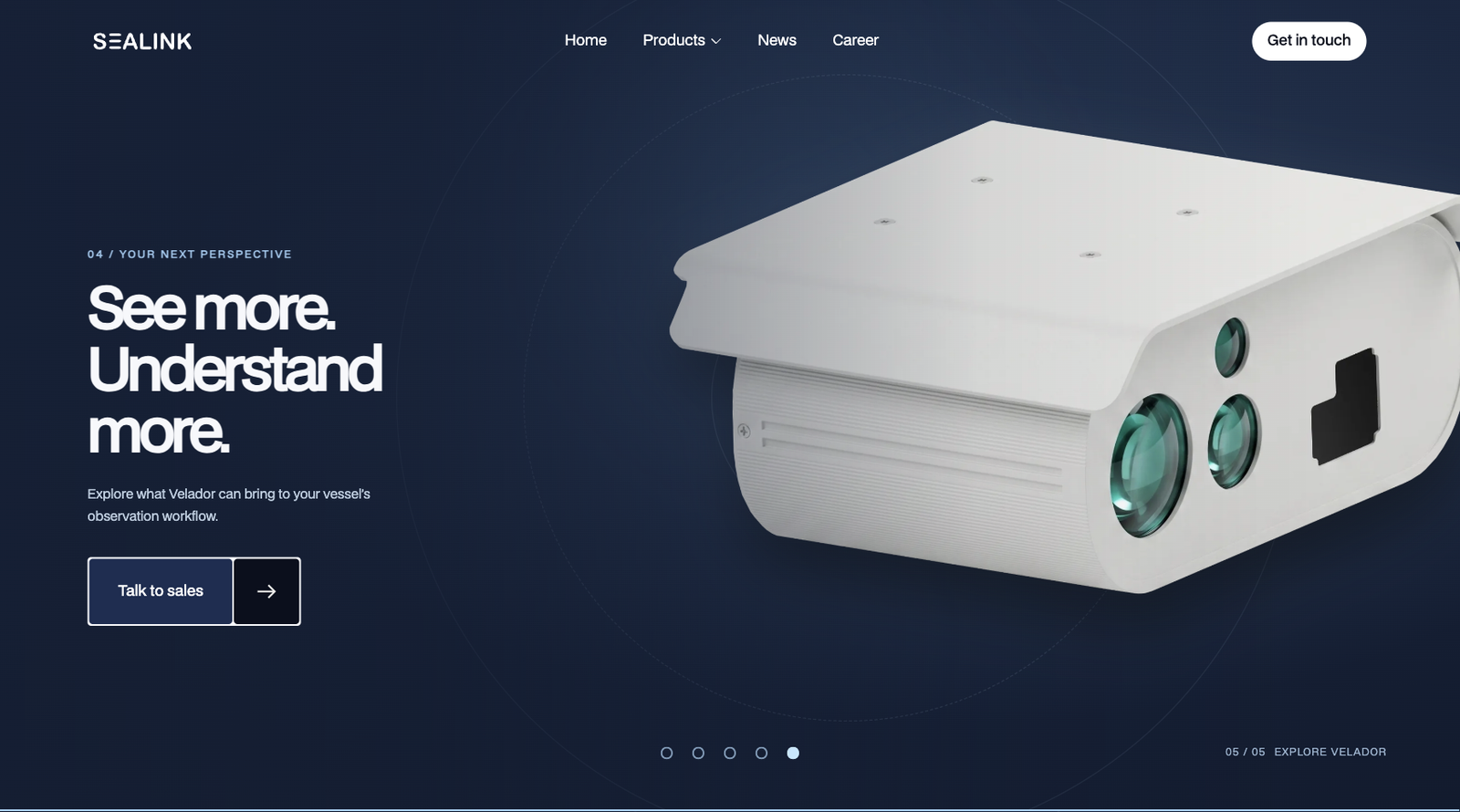
The client supplied an HTML prototype for a Vision AI section. A ship scales as the visitor scrolls, radar scanning rotates around it, and detected vessels receive highlights and labels. Our task was to adapt the prototype to Sealink's visual language without simply placing the entire HTML scene into an Embed.
What we built using MCP
We used MCP to create native Webflow elements, classes and styling for the scene, leaving custom JavaScript for the animation. The radar concept included nine vessel contacts, ship imagery, an animated scanning line and sonar waves. Because the agent could work within the existing project, we could quickly alter composition, colors, object placement and responsive behavior while reusing established components.
What didn't work the first time
The first version was not close to final. The radar line was too short, its scanning sector resembled a spotlight more than a radar, text overlapped, and several elements had been added to the wrong scene. Some placeholder content remained and the transitions between sections needed reworking. Each issue required visual assessment and targeted correction.
The advantage was the iteration loop. We could test a hypothesis in Webflow, see what was wrong, update the same scene and try again without manually rebuilding every layer. The valuable output was not a flawless first generation. It was the ability to move through several credible versions quickly.
Experiment 2: turning an HTML story-track into editable Webflow
The brief
For a second Vision AI experiment, we received a ZIP containing a full HTML prototype. We needed to bring one complex story-track section into Sealink, not embed the entire prototype unchanged. The interaction combined five stages: Vision AI introduction, optics, AI Detection, thermal perspective and a final CTA.
What worked
Through MCP, we created a scroll-driven Webflow section with native headings, copy, images, buttons, object markers, an Optical/Thermal switch and progress navigation. Custom JavaScript controlled scene transitions, object scaling and animation timing. That split kept the editorial structure in Webflow while assigning the genuinely interactive behavior to code.
The technical problems
The Webflow Builder rejected part of the first structure because of attribute limitations. A failed insertion also left behind an incomplete duplicate section, which we had to identify and remove. Moving local images from the provided ZIP into Webflow Assets introduced another bottleneck. Having the source files available to the agent did not guarantee that every file could be uploaded through the connected tools.
We checked the resulting Webflow structure and JavaScript syntax, but could not finish full browser-level testing of the animation in that session. That distinction matters: code validation and successful saving do not demonstrate that every scroll state works on actual devices.
What worked best about Webflow MCP
The strongest feature is access to the existing project. The agent can inspect site structure, reuse classes, change content and styles, work with CMS and assets, and apply a series of updates without recreating everything from scratch. For our team, that makes it especially useful for prototyping and testing design hypotheses rather than simply generating generic pages.
A previously small design experiment still used to require opening the Designer, assembling new elements, naming classes, adjusting responsive styles, wiring animation and repeating that process for revisions. With MCP, much of the repetitive implementation can be delegated. We can focus more attention on the design decision and the resulting behavior.
Where MCP falls short
Correct structure is not the same as good design
An agent may build dozens of valid elements yet place them incorrectly, duplicate sections, leave placeholders or miss important visual relationships. We saw precisely those problems in the Sealink work. Design review is not optional.
Designer connectivity is a real dependency
The connected Designer and MCP tooling did not always behave reliably. Snapshot requests and verification sometimes timed out. Some changes could be inspected in the saved structure even when live browser verification was unavailable. Our workflow has to treat those as separate states.
Assets and Builder constraints require fallbacks
Local asset transfer and limits on attributes or supported operations can interrupt an otherwise straightforward build. The agent needs to recognize the failure, clean up partial results and choose an appropriate supported implementation rather than claiming everything succeeded.
Complex interactions still need JavaScript and real QA
A complex scroll scene may still require GSAP or custom JavaScript. MCP can help build or modify that code, but performance, timing, visual fidelity, mobile touch behavior and breakpoint-specific issues need actual browser testing. Code inspection is useful; it is not final QA.
How our development process changed
Our previous sequence was roughly: reference, manual Webflow development, QA and revisions. Today, for the kinds of experiments described above, it becomes: reference, AI-assisted Webflow implementation, visual QA and iterative refinement. That change puts more of the developer's work into defining scope and architecture, reviewing results and resolving the details the agent misses.
It is not a hands-off process. In Sealink, the human review of composition and animation behavior was responsible for identifying many of the problems the agent did not notice.
Does Webflow MCP save time?
We did not run controlled before-and-after time tracking, so we cannot publish a defensible percentage. Our experience is that MCP reduces repetitive setup, structure creation, styling and batches of similar edits. For complex interactive sections, the benefit is less predictable because time saved in the first implementation can be spent on debugging and visual refinements.
Webflow MCP hasn't eliminated manual development or QA, but it has significantly reduced the friction between an idea and a working prototype. The biggest time savings come from repetitive implementation tasks and rapid iteration, especially when experimenting with complex interactions inside an existing Webflow project.
Our verdict: a new way of working, not a replacement developer
Webflow MCP is not a replacement for a Webflow developer. It is a new way for developers to work with Webflow. Sealink showed us how quickly we could prototype ambitious concepts within an existing design system, inspect their weaknesses and decide what was worth keeping. But developers still choose the architecture, judge the quality, refine the interactions and decide whether the site is ready to ship.
For related implementation principles, see our clean Webflow build guide and Figma-to-Webflow service.