What to prepare before website development
A practical checklist for preparing page structure, content, design, CMS logic, assets, integrations and feedback before website development starts.
June 22, 2026
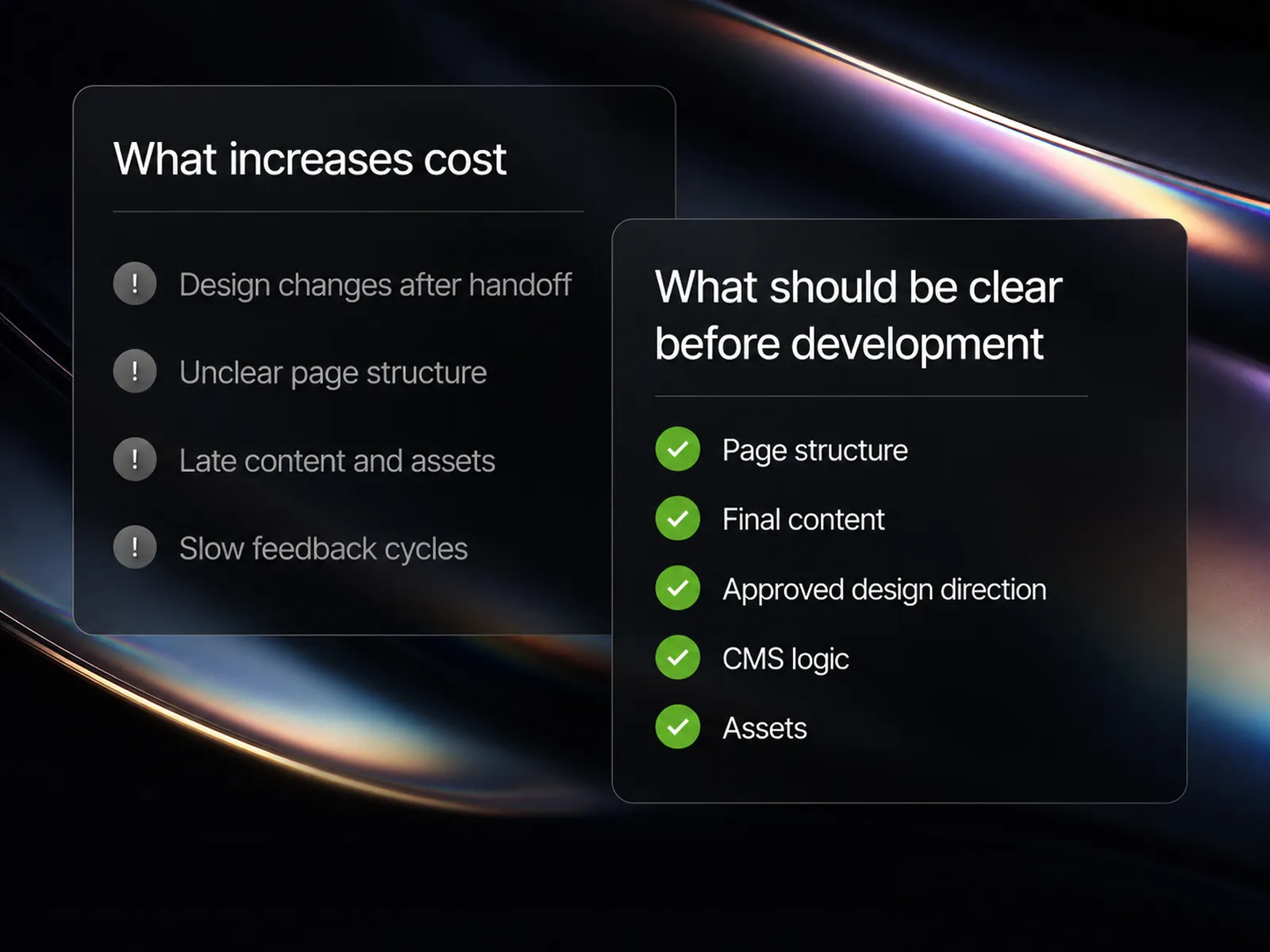
Website development becomes expensive when important decisions are still moving after implementation starts.
The goal is not to freeze every detail before development. Small refinements are normal. The problem is structural uncertainty: changing layouts after handoff, discovering missing CMS requirements halfway through the build, receiving final content too late, or adding integrations that were never part of the original plan.
A stronger process removes those uncertainties before expensive implementation work begins. This checklist covers what should be clear before website development starts and why each item matters.
1. Page structure should be approved
Before development starts, the team should know which pages exist, how they relate and what each page needs to contain.
This includes the sitemap, navigation, core page templates, section order and which pages are static or CMS-driven.
Structural changes during development rarely affect only one screen. A new page type can require new components, CMS fields, navigation changes, responsive rules and internal linking logic.
This is why our full website process separates structure and content planning from design and development.
2. The design direction should be approved
Development does not require every pixel to be permanently locked. But the visual direction, component logic and major layouts should be stable enough to build against.
Changes such as replacing the hero structure, changing card systems across several pages, introducing a new typography system or changing the mobile layout strategy after implementation create avoidable rework.
Small spacing corrections and copy refinements are normal. Rebuilding approved layouts is a different type of change and should be treated as additional scope.
A build-ready design should clarify hierarchy, responsive behavior and reusable patterns before implementation begins. This is part of our website design process.
3. Real content should be available
Placeholder content makes development look easier than it really is.
Real content reveals headings that wrap unexpectedly, cards with different text lengths, missing images, unusual image ratios, empty fields and sections with more or fewer items than the design example.
Final content does not mean every sentence can never change again. It means the development team has content representative enough to build and test the real system.
4. CMS logic should be defined
If the website contains repeatable content, the CMS structure should be planned before the templates are built.
Typical CMS entities include case studies, services, industries, articles, authors, team members, testimonials, locations and resources.
The important questions are which content deserves its own collection, which items need references, which fields editors control, which fields are optional and which layouts are shared.
Adding CMS logic late can force already-built sections to be restructured. Our CMS architecture service focuses specifically on collection structure, references, templates and editor workflows.
5. Assets should be ready
Development often slows down because the design looks finished while the production assets are still missing.
Before handoff, confirm the availability of logos, fonts, photography, illustrations, icons, videos, animation files and downloadable documents.
Missing assets create temporary workarounds that later need to be replaced and retested.
For development from an existing design, our Figma to Webflow process starts with a review of assets, responsive states, components and CMS requirements.
6. Responsive behavior should be understood
A desktop design does not fully define how a website should work on smaller screens.
The team should understand what happens when columns stack, navigation changes, large typography scales down, comparison layouts become too wide or decorative visuals compete with content.
Mobile mockups are useful, but they are not the only way to solve this. A developer can make responsive decisions when the design system and content priorities are clear.
The problem is leaving major layout decisions undefined and discovering them only after the desktop version has been built.
7. Integrations and SEO requirements should be identified early
Integrations can affect forms, CMS structure, page layouts and project architecture. Identify CRM connections, email tools, booking systems, analytics, consent tools, localization, search, membership, embeds and custom functionality before the relevant components are finished.
Redesigns and migrations also need URL mapping, redirect planning, content migration decisions, metadata requirements and analytics access before launch.
For an example of a redesign that included technical SEO, performance work and continued iteration, see our Transcenda case study.
8. Feedback and approval responsibilities should be clear
Slow or fragmented feedback can increase project cost even when the design itself is strong.
Define who gives final approval, who consolidates internal feedback, how quickly feedback is expected and what counts as a correction versus a scope change.
Several stakeholders leaving contradictory comments separately can stop progress more effectively than a technical issue.
Our project FAQ covers revisions, scope, ownership, timelines and other practical collaboration questions.
What can still change during development?
Not everything needs to be frozen. Development is still collaborative, and real implementation often exposes details worth refining.
Normal changes include small copy adjustments, spacing refinements, minor responsive corrections and interaction timing changes.
Changes that usually create meaningful rework include new page structures, new CMS requirements, major approved design changes, new integrations and new functionality.
The goal is not to eliminate change. It is to remove structural uncertainty before expensive implementation work begins.
A practical pre-development checklist
- The sitemap and core page structure are approved.
- The visual direction is stable.
- Representative final content is available.
- CMS collections and relationships are defined.
- Required assets are available.
- Responsive behavior is understood.
- Integrations and custom functionality are documented.
- SEO and migration requirements are mapped.
- Feedback and approval responsibilities are clear.
If several of these points are unresolved, development can technically begin, but the project is taking on avoidable rework risk.
Clarity before development reduces rework
The fastest development process is not the one that starts earliest. It is the one that starts when the team has enough clarity to build the right system once.
A strong handoff gives developers a stable structure, realistic content, approved design direction, defined CMS logic and the assets and requirements needed to implement without constant reconstruction.
That preparation protects budget, timeline and quality.
Review our recent projects for examples of complete Webflow implementations, or send us your project requirements if you need help preparing a design or website for development.